New features coming in VTA
New Features
8.2 VTA Online Help Gets Visual
Since Learner 8.2 is getting more visual, we thought we’d make the VTA Online Help system more visual too. A “Visual Topics” chapter and a “Video Library” chapter were added to the Table of Contents.
VTA Online Help Updated for VTA 8.1
The VTA 8.1 Online Help system is now live and available. It contains 55 new or updated screen shots and 30 pages have been updated as needed. Just click the Online Help icon in the top-right of the VTA Backoffice application (to the left of “Sign Out”). The biggest changes are related to Course Pictures and Documents
VTA Online Certificate – 2018 Update
New VTA Support Features
Evaluator Student Guide Updated for VTA 8.0
The VTA Evaluator Student Guide has been updated to match the major updates in VTA 8.0.
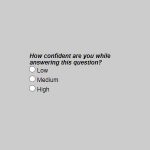
Confidence Measure Available in VTA 8.0
VTA Online Certificate – 2017 Update
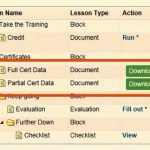
Since VTA 8.0 got such a great makeover, we decided to spruce up the Online Certificate program, its instructions and templates.
There are other ways to associate or generate a completion certificate in VTA. For example:
•A modified Attendance Report can create a certificate for each student.
•You can scan hard-copies and associate them as Roster Documents so students, supervisors and instructors can access them in Learner.
Using the VTA Online Certificate program is still the easiest method to get a completion certificate into your students’ hands so we hope the 2017 updates help make that easier for you.