
What are Performance Checklists?
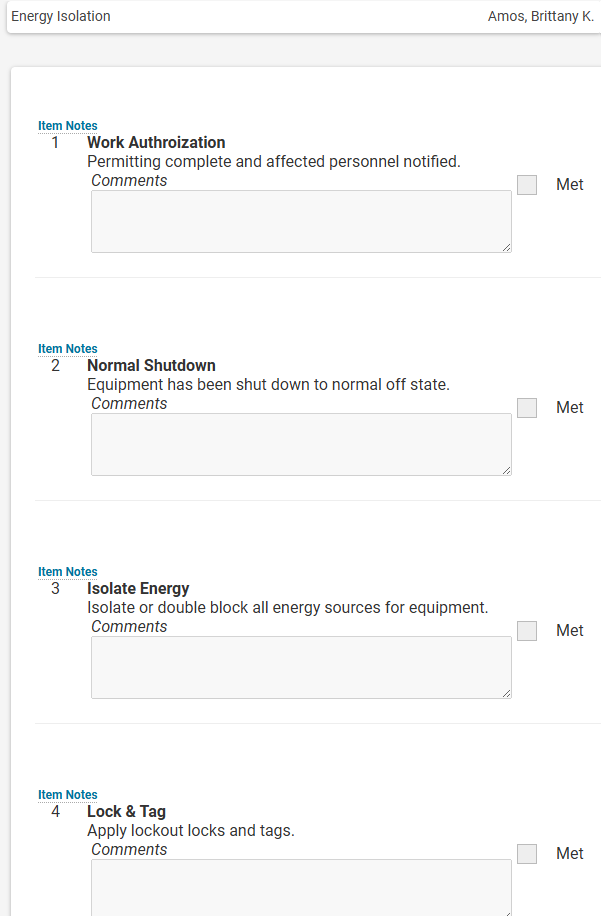 Performance Checklists are a type of Assessment that can be created in RISC’s Learning Management System (LMS), the Virtual Training Assistant (VTA). Unlike Tests created in VTA to gauge a student’s knowledge, Checklists are designed to evaluate a student’s performance. Similar to Competency Assessments, Performance Checklists are evaluated by a person – often a Supervisor or Instructor – to verify the student can actually perform the task being assessed. CPR training and Driver’s education are both good examples where a knowledge-based test is coupled with a performance checklist.
Why use a Checklist?
The purpose behind using a checklist is to formalize the steps needed to successfully perform a task. The checklist helps ensure steps are not skipped or misinterpreted by the evaluator. When developing a checklist, notes can be added to each step that are only visible to the assessor to help drive consistency across assessments completed by different assessors. Checklists can have multiple rating scales and checklists can even be used to satisfy an item on Competency Assessment without requiring a secondary evaluation.
Why does a student need to access a Performance Checklist?
Generally it is a Supervisor or an Instructor that completes the checklist for a student by accessing the checklist from the Learning Portal or Supervisor Utilities. While a student can’t complete their own checklist, they may want to view the checklist in advance of their evaluation. This can now be done in the VTA learner system.
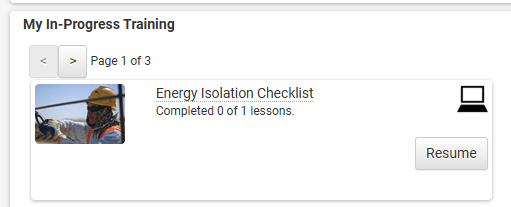 In the example to the right, a student is accessing her checklist from the Learning Portal “My In-Progress Training” area but it can also be accessed under the larger “My Training” Menu option
Opening The Checklist
A student can only open the checklist in a browse-only mode after completing any previous required lessons for the course, which may include other checklists. By clicking on Resume, the course lessons are displayed along with their status. In the example below, there is only a single lesson for the course and that lesson is the Energy Isolation Checklist.
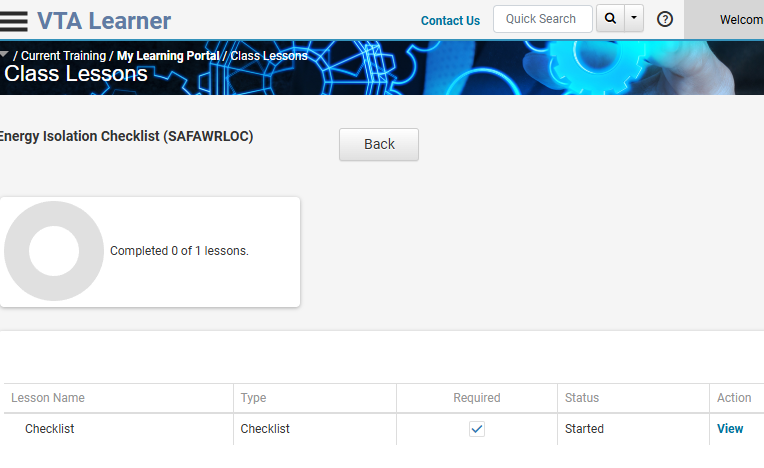
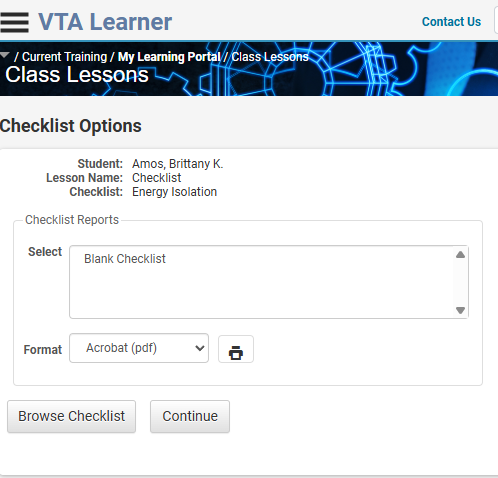 After clicking “View” the student is given an option to browse the checklist or continue and take no action. Simply clicking Browse Checklist lets the student see the steps and the rating scale for each checklist item. Of course, they cannot see the additional evaluator notes from the student view.
When they feel they are ready to be assessed, the student’s supervisor or instructor can be notified to complete the checklist assuming they have been granted that access in VTA Back Office.
Want to learn more?
If you are interested in learning more about VTA Assessments including Performance Checklists, contact RISC today!

Mr. Welder’s career is founded in traditional instructional design and computer-based training development. He is a certified Development Dimensions International facilitator, a Kirkpatrick Certified Evaluator and facilitator of the Ohio State University curriculum development program. In addition to working in industry, Mr. Welder has held adjunct faculty positions at Bowling Green State University, Ohio and the College of the Mainland, Texas. Mr. Welder has been published in both Training Magazine as well as US Business Review.